Sanitization
Every deck out the door, client-safe.
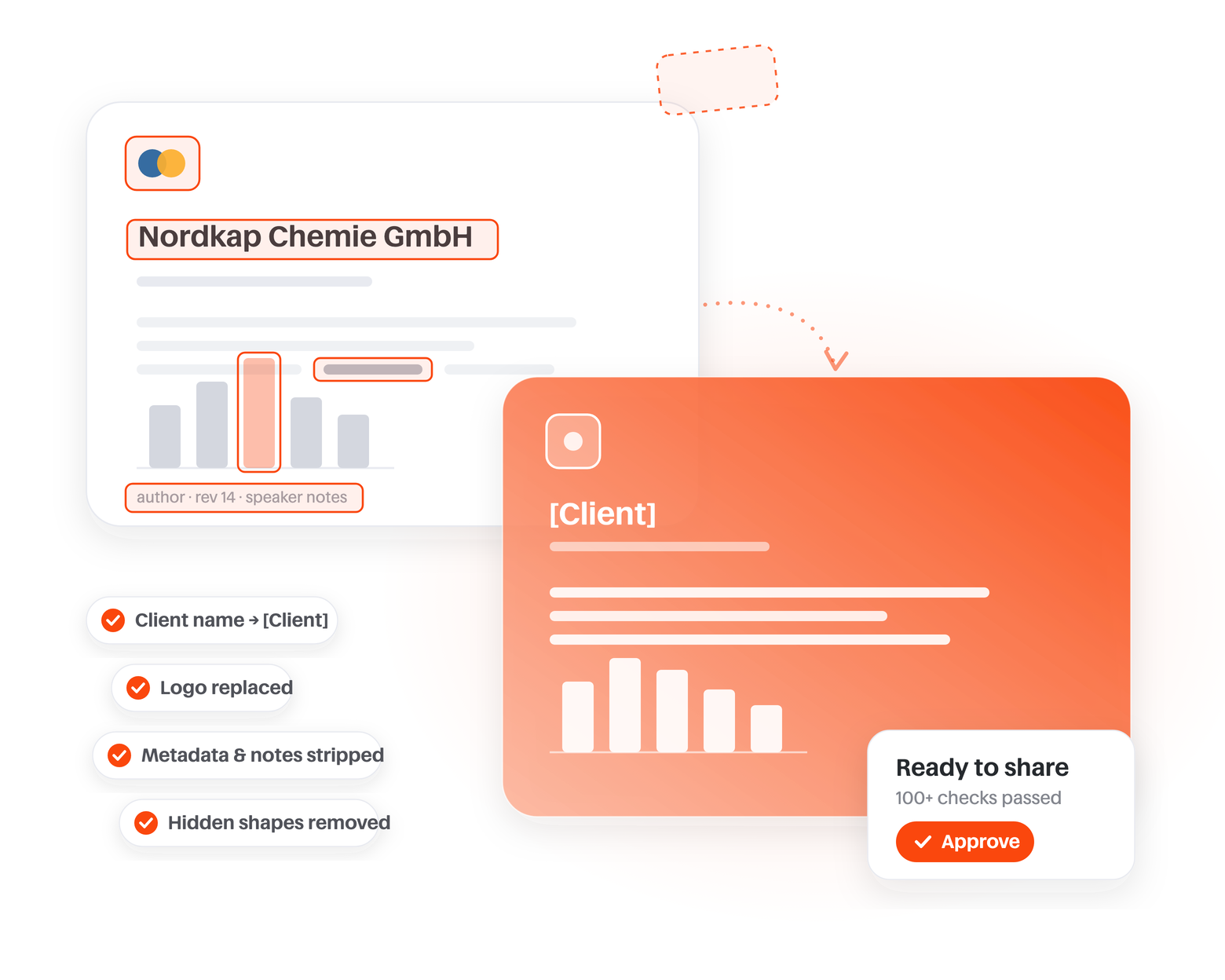
Skripta proposes every edit, visible and invisible, and your team approves before anything is shared.
· Launch sequencing across Germany & Austria [Region] pricing corridors
· Positioning vs. the #2 brand in DACH [key competitor]
Proposed edits
Client name
14 replacements across slides, notes & master
Logos
Replaced with shape-matched placeholders
Metadata & revision history
Author, comments, custom XML stripped
Hidden shapes & off-slide objects
2 found, removed
Chart data
Indexed, dummy-data tag embedded
Borderline confidential
1 item flagged for your call
SHA-256 source hash · re-scanned after export
Sanitization
The most advanced sanitization engine built for consulting
Client names, logos, metadata, speaker notes, slide masters, chart data, cropped images, hidden shapes. Skripta runs over a hundred checks on every deck, visibly and invisibly.
Your team reviews the proposed edits and approves before anything is shared. The mind-numbing manual cleanup disappears; the confidentiality your clients expect stays.
Core AI knowledge
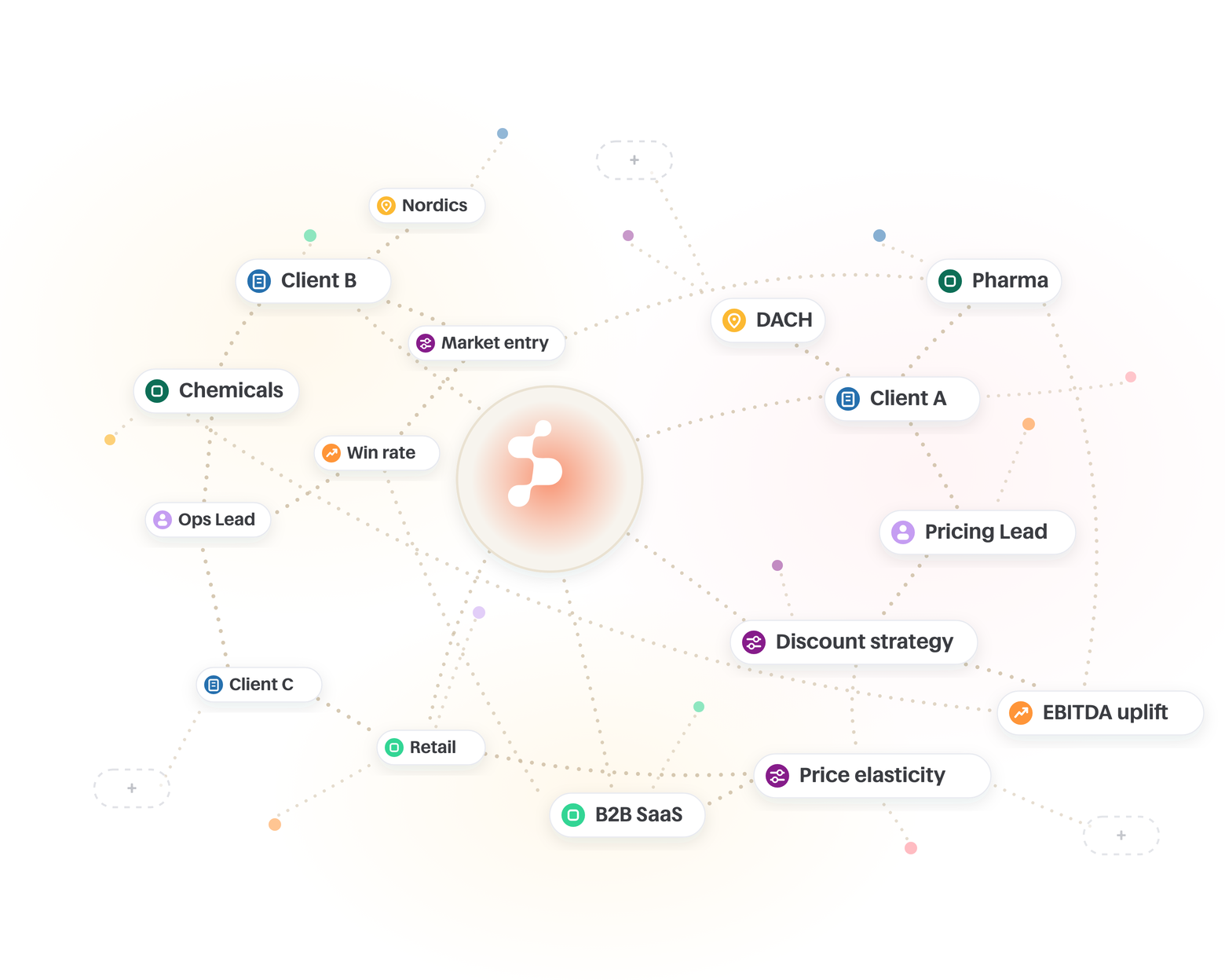
Every engagement builds your firm's memory
People, companies, industries, benchmarks, methods. Skripta extracts every entity, threads the relationships between them, and remembers.
What is true on one engagement quietly informs the next. Frameworks and benchmarks stop being locked inside one project team and become knowledge the whole firm can search.
We all know the routine: what have we done on pharma market sizing? Who worked on supply chain optimization in industrials, and what did we deliver? Emails, calls, follow-ups, and nights of stitching slides together.
Skripta ends it. Every past engagement is already sanitized and easily searchable, so you pull benchmarks and frameworks straight from your own assets and put together a first draft in one go. Minutes, not days.
Institutional knowledge
Proposal time is for figuring out how to best solve the client's exact problem. Not for hunting decks.
Security first
Privacy you can trust
Skripta is built for privacy-conscious teams. Your clients' data stays secure and confidential, following strict standards, so you can work with confidence.
Knowledge management defines the skills and guardrails once, and they cascade across every team. The controls stay in your hands.
Add the company logo instead of the name? Right away. Add the market size on each page? No problem.
